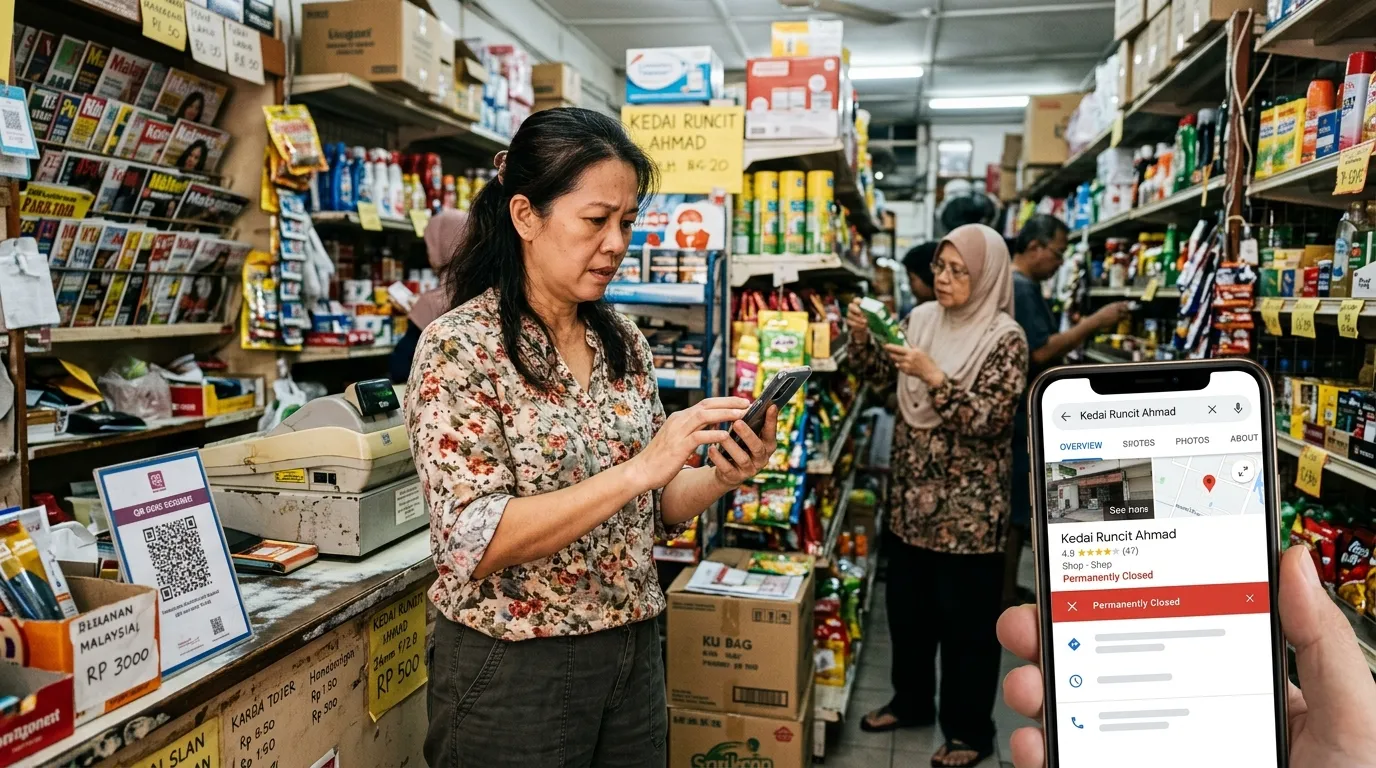
Imagine your business is still running as usual — customers coming in, sales going through, and your shop doors open every day — but on Google, your business profile is showing the status 'Permanently Closed'. This situation is not merely hypothetical; it happens to many Malaysian business owners without them realising it, often due to irresponsible reports by unknown users or unethical competitors. If you are not conducting regular GBP audits, your digital reputation may be crumbling without your knowledge.
What Is the 'Permanently Closed' Status on GBP?
Google Business Profile (GBP) allows anyone — including members of the public — to suggest changes to a business's information. This includes suggesting that a business has been permanently closed. When this suggestion is accepted by Google's system without being verified by the profile owner, the 'Permanently Closed' status will be displayed automatically to all users searching for your business on Google Search and Google Maps.
This status is not just a small label — it changes the entire perception customers have of your business. When someone sees the 'Permanently Closed' tag, they will almost certainly not contact you, visit your premises, or trust any other information in your profile. The impact is immediate and damaging.
Google allows unverified users to suggest changes to any GBP profile. If business owners are not actively monitoring their profiles, changes such as the 'Permanently Closed' status can be approved automatically by Google's algorithm without any clear notification to the owner.
How Can Your GBP Profile Get Marked as 'Permanently Closed'?
There are several main pathways that cause your GBP profile to receive this damaging status. Understanding these causes is the first step to protecting your business from this often-hidden digital threat.
- Public user reports: Any Google user can mark your business as 'Permanently Closed' through the 'Suggest an edit' function in Google Maps.
- Unethical competitor activity: Malicious competitors can use different Google accounts to report your business as closed in order to reduce your visibility in local search results.
- Inactive or unclaimed profiles: Businesses that rarely log in to GBP or have not claimed their profiles are more vulnerable to unauthorised changes being approved by Google's system.
- Premises relocation or modification: If you move to a new address and do not update your GBP promptly, Google's system may mark your old location as closed.
- Google's automated detection: Google sometimes uses third-party data, including information from other business directories, to automatically update profile statuses.
Real Impact on Malaysian Businesses
In today's Malaysian digital business landscape, having a presence on Google is not just a bonus — it is a fundamental necessity. According to a BrightLocal study (2024), 87% of consumers use Google to evaluate local businesses before making any purchasing decision. This means that if your GBP profile is showing the 'Permanently Closed' status, almost all potential customers searching for your business online will immediately turn to your competitors instead.
The losses incurred are not only from the drop in organic traffic alone. The 'Permanently Closed' status also affects your business's ranking in Google's 'local pack' — the top three results that appear when someone searches for services near them. According to Moz (2023), GBP signals contribute 36% of the local pack ranking factors, making the integrity of your GBP profile absolutely critical for your business's digital survival.
“The 'Permanently Closed' status on GBP is not merely a technical error — it is a digital reputation crisis that is quietly burning through your customers' trust and your business revenue every day it is left uncorrected.
— GBPAuditLab Editorial
How to Detect Whether Your GBP Has Been Marked as 'Permanently Closed'
Many business owners only find out about this problem when loyal customers contact them and ask why the shop 'has closed down'. By that point, the reputational damage may have been ongoing for days or even weeks. To avoid this scenario, you need to take proactive steps in monitoring the status of your GBP profile.
- Search for your business name on Google Search and Google Maps using incognito mode (without being logged in to your Google account) — this shows you the same view that members of the public see.
- Log in to Google Business Profile Manager at business.google.com and check the main dashboard for any notifications or alerts regarding changes to your profile.
- Enable email notifications in your GBP settings so that you receive alerts whenever a suggested change is made to your profile.
- Conduct regular GBP audits using audit tools such as GBPAuditLab, which can systematically detect anomalies and unauthorised changes to your profile.
- Check the 'Suggest an edit' section of your profile to see whether there are any pending suggested changes.
Corrective Steps: How to Remove the 'Permanently Closed' Status
If you find that your GBP profile has been marked as 'Permanently Closed', do not panic — the situation can be resolved, but it requires immediate and systematic action. Here is the corrective process you need to follow carefully.
- Log in to Google Business Profile Manager using the Google account associated with your business profile.
- Click on the relevant profile and look for the 'Mark as open' or 'Business is open' option in the management panel — this option typically appears when Google detects a 'closed' status on your profile.
- Update all business information completely and accurately, including operating hours, phone number, and address — complete information helps Google verify that your business is still active.
- If the corrective option is not available in the panel, contact Google Business Profile Support directly through Google's support page and explain that your business is still operating.
- Upload recent photos of your premises showing the business in operation — this provides visual evidence to Google's system that you are still active.
- After making the correction, monitor your profile intensively for the following 30 days to ensure the status does not revert.
After restoring your GBP status, make sure you log in to GBP Manager at least once a week and actively respond to customer reviews. A profile that is active and engaged is harder to alter unauthorised, as Google's algorithm gives more weight to activity signals from verified owners. If you are experiencing related issues such as missing reviews or a phone number that cannot be reached, refer to our GBP troubleshooting guide at /blog/gbp-troubleshooting-malaysia-semua-masalah-penyelesaian for comprehensive solutions.
The Importance of Regular GBP Audits for Malaysian Businesses
The 'Permanently Closed' problem is just one of many issues that can affect your GBP profile without warning. Other issues such as reviews mysteriously disappearing or a profile that is suspended without clear reason are also commonly experienced by Malaysian business owners. You can read more about missing reviews at /blog/review-hilang-dari-gbp-kenapa-berlaku-dan-apa-boleh-buat and also understand the reasons why your GBP may not be appearing in Google Maps at /blog/kenapa-gbp-tak-muncul-dalam-google-maps-7-sebab.
Conducting regular GBP audits is not merely a best practice — it is the most fundamental and most effective form of digital reputation protection for your business. As Google itself has stated, complete and accurate GBP information directly improves your local search ranking. Without active monitoring, your business is exposed to various threats that can undermine customer trust and your revenue stream. Other serious issues such as a suspended GBP account also have a significant impact — a comprehensive guide on this can be found at /blog/gbp-suspended-sebab-cara-appeal-dan-prevent.
“Businesses that do not monitor their GBP profiles are not just losing customers — they are handing over control of their digital reputation to others.
— GBPAuditLab Editorial
Protect Your Business with a Systematic GBP Audit
In an era of increasingly fierce digital business competition in Malaysia, there is no room to neglect the integrity of your GBP profile. A 'Permanently Closed' status that appears without your knowledge is a real threat that requires a proactive — not reactive — solution. By using a GBP audit tool designed specifically for the Malaysian business context, you can detect unauthorised changes, assess the overall health of your profile, and take corrective action before it impacts your reputation and revenue.
Audit Your GBP Profile Now — Free of Charge
Don't wait for customers to tell you that your 'shop has closed down'. Use GBPAuditLab to run a thorough GBP audit and detect any issues with your business profile before they affect your reputation. Designed specifically for Malaysian businesses.
Start Your Free GBP Audit