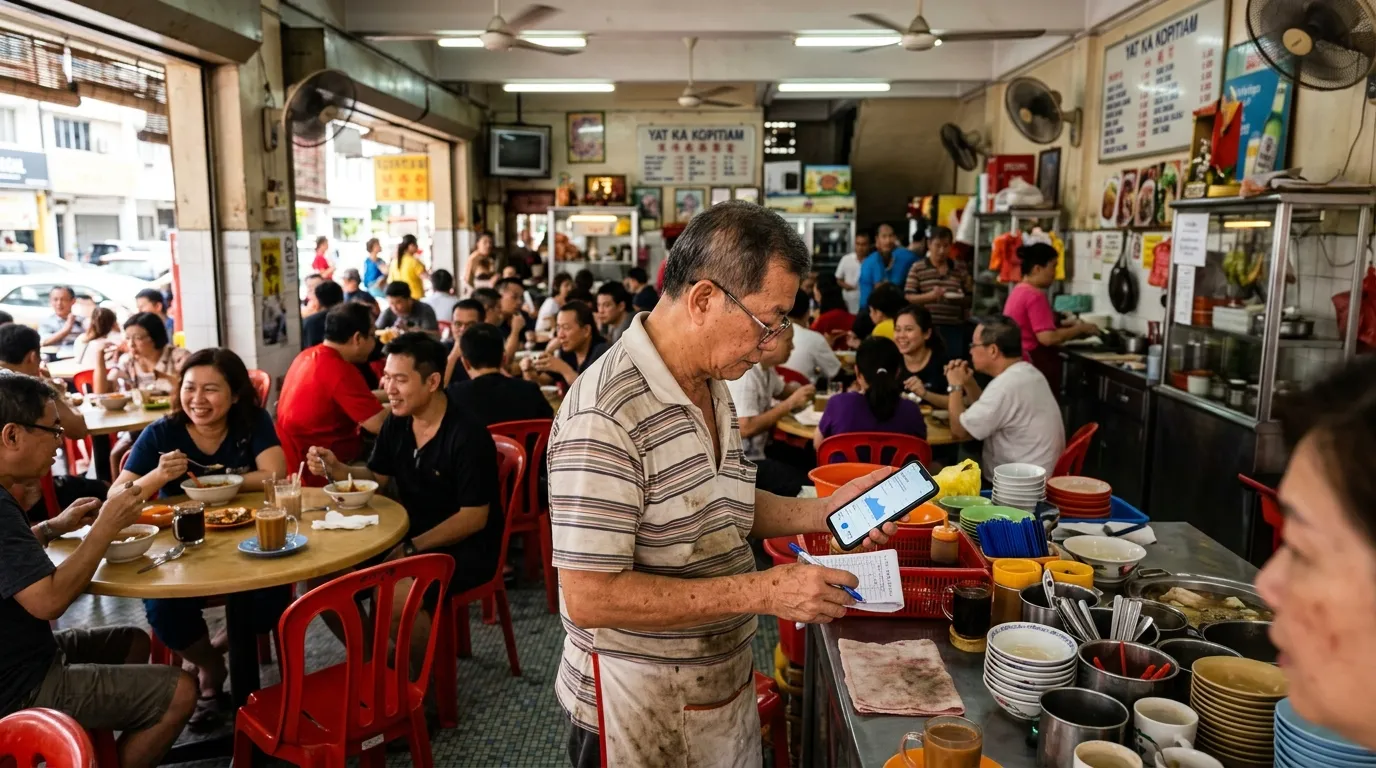
Have you ever wondered how Google Maps knows your shop is packed at noon every Saturday — without you ever telling anyone? The technology behind the 'Popular Times' feature is not just clever, it quietly influences customer decisions before they even step foot into your business. If your Google Business Profile (GBP) is not configured correctly, this data may be inaccurate — and that could end up costing you.
What Is 'Popular Times' and How Does It Appear on Google Maps?
The 'Popular Times' feature on Google Maps is a bar graph that shows how busy a business gets throughout the day and across the week. It appears directly in the business information panel when users search for shops, restaurants, clinics, or any other business premises. For prospective customers, this graph serves as a practical guide — they will either choose a less busy time or deliberately visit during peak hours to confirm the premises is actually operating.
The most important thing for you to understand as a business owner: Google does not ask you to fill in this data manually. The way Google Maps Popular Times works is based on aggregated data collected automatically through the devices of users who have enabled Location History on their Google accounts.
How Google Collects Visit Data Without You Realising
The core mechanism behind Popular Times is anonymous, aggregated location data collected from Android and iOS smartphone users who have granted Google permission to track their location. When a sufficient number of users are at the same location at the same time, Google is able to build meaningful visit patterns. This data is then processed, anonymised, and displayed as a relative graph — not as an absolute count of visitors.
- Data is collected from users who have enabled Google Location History on their devices
- Google uses machine learning to identify recurring visit patterns across weeks and months
- Data is displayed as a relative index (low, moderate, busy) — not the actual number of customers
- Your business location in GBP must be accurate for visits to be attributed to your premises, not a neighbouring one
- New businesses or those with low footfall may not display this feature at all
If the location pin in your GBP is off — even by just a few metres — customer visit data may be attributed to a nearby business instead. This means your Popular Times will never display accurately, or worse, it shows up on your competitor's profile.
Why This Data Can Be Wrong — And Who Bears the Consequences
Popular Times data depends on the accuracy of the basic information in your GBP. If the registered operating hours do not match your actual opening hours, Google may misinterpret visit patterns. For example, if your profile shows your shop is closed on Sundays but you are actually open, Google may flag Sunday visits as anomalies and not display them consistently.
More concerning, according to Google itself, complete and accurate GBP information directly improves your local search ranking (Google, 2024). This means an incomplete profile does not just affect Popular Times — it also prevents your business from appearing in competitive local listings.
“Popular Times data is not merely passive information — it is a digital mirror of your operational reputation. If your GBP is inaccurate, that mirror will show a distorted image to every prospective customer.
— Editorial Perspective, GBPAuditLab
Why This Feature Matters to Small Business Owners in Malaysia
For SME owners in Malaysia, Popular Times is not just a passive tool for customers — it is free operational data you can use to make smarter business decisions. This data helps you identify peak hours for staff planning, quiet periods for maintenance work, and weekly patterns that may suggest opportunities for time-specific promotions.
With 87% of users relying on Google to evaluate local businesses, the information that appears in your GBP — including Popular Times — is among the first touchpoints shaping customer perception. An incomplete profile or incorrect operating hours can cause customers to make wrong assumptions and ultimately choose your competitors instead.
GBP Signals That Determine the Accuracy of Your Popular Times Data
There are several elements in your GBP that directly influence whether the Popular Times feature works well for your business. Optimising these elements not only improves the accuracy of Popular Times, but also improves your ranking in Google local search — where GBP signals contribute up to 36% of Local Pack ranking factors (Moz, 2023).
- Business Hours — Ensure they are accurate and up to date, including public holidays and festive seasons
- Location Pin — Verify that the marked location is precisely at your premises, not at a road junction or car park
- Business Category — Select the most relevant primary and additional categories to help Google classify the type of visits
- Business Name — Use your actual and consistent name as displayed on your shop signage
- Business Description — Complete the description field with clear information about your products and services
- Recent Photos — Upload photos of your premises from the outside and inside that reflect the actual look of your shop
How to Use Popular Times Data for Your Operational Strategy
Once your GBP is configured correctly and Popular Times starts displaying accurate data, you can begin leveraging this information strategically. It is not just about knowing when your shop is busy — it is about using that information as the foundation for more competitive business decisions.
- Schedule flash promotions or limited-time offers during periods shown as 'moderate' to draw in more customers
- Add staff during consistent peak hours to prevent customers from waiting too long
- Plan stock deliveries, cleaning, or maintenance work during the quietest periods
- Use weekly pattern data to determine the best day to run events or launch new products
- Compare your Popular Times data with nearby competitors to identify gaps and opportunities
Check your GBP every time your operating hours change — especially ahead of public holidays, the month of Ramadan, or festive seasons. Google takes time to update Popular Times displays based on the latest patterns, so updating early is key to avoiding information that may mislead your prospective customers.
Incomplete GBP: A Risk That Is Often Underestimated
Many business owners assume that registering their business on Google is sufficient. The reality is, a partially complete profile can be more harmful than having no profile at all — because it displays inaccurate information to thousands of prospective customers every month. The most commonly neglected signal in Malaysian business GBP profiles is the business description field, based on GBPAuditLab's internal data.
A missing description means Google has less context about your business — and this indirectly affects how the algorithm categorises and attributes location visits to your profile. In other words, accurate Popular Times starts with a complete GBP, not the other way around.
Is Your GBP Displaying the Right Information to Customers?
Use GBPAuditLab to check the health of your Google Business Profile for free in less than two minutes. Identify information gaps that may be causing your Popular Times data to be inaccurate — and get clear, actionable recommendations to fix them.
Audit Your GBP Now — It's Free