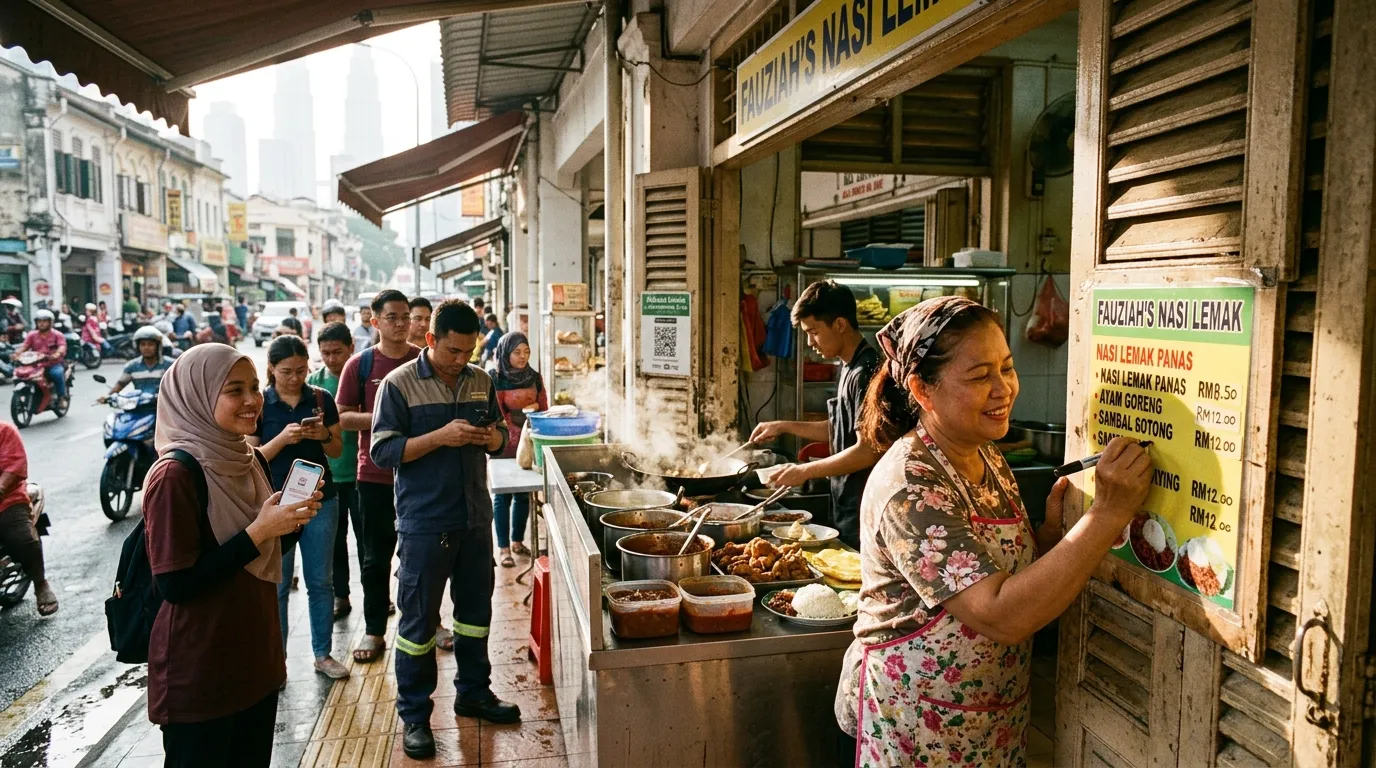
Menu and Price List in GBP — A Guide for Malaysia F&B
Imagine a customer searching for "nasi lemak nearby" on Google during lunchtime. Your Google Business Profile (GBP) appears — but the menu displayed still shows old prices, items that are no longer available, or no menu information at all. Within seconds, that customer scrolls down and picks your competitor instead. This situation happens every day across Malaysia, and many F&B business owners don't even realise it.
According to BrightLocal (2024), 87% of consumers use Google to evaluate local businesses before making a decision. This means your GBP — including your menu and price list — is the first "digital shopfront" that potential customers see. This step-by-step guide will help you update, organise, and optimise your menu in GBP so that your F&B business stays relevant, appealing, and easy to find.
What You'll Need
Before you start, make sure you have the following:
- A Google account linked to your business GBP
- Full access (Owner or Manager) to your Google Business Profile
- An up-to-date menu list — including item names, current prices, and dish categories
- A device — a laptop or smartphone with internet access
- Free time — approximately 30 to 60 minutes for your first session
Time Required & Difficulty Level
- Time: 30 – 60 minutes (first time); 10 – 15 minutes for periodic updates
- Difficulty Level: Easy — suitable for business owners who are just getting started with GBP
Step 1: Log In and Access Your GBP Menu Section
Open your Google Business Profile via business.google.com or search for your business name directly on Google Search, then click "Edit profile".
Once you're in the GBP dashboard, look for the tab or section labelled "Menu". Do note that the menu feature in GBP is only available for certain business categories — primarily restaurants, cafes, food stalls, and other F&B businesses. If you can't find the Menu tab, double-check that your primary GBP category has been correctly set as a food business.
Why does this matter? According to Google (2024), complete and accurate GBP information directly improves your local search ranking. A well-filled menu signals to Google's algorithm that your profile is active and relevant.
Step 2: Understand the Two Types of Menus in GBP
Get to know the difference between the two menu options provided by Google before you start filling in your information:
a) Structured Menu
This is the menu you build directly within the GBP interface — with categories, item names, prices, and descriptions. This menu is displayed dynamically in Google's Knowledge Panel when someone searches for your business.
b) Menu URL (External Menu Link)
This option lets you add a link to your own menu website, online reservation system, or menu PDF. This is useful if your menu changes frequently or is already managed through another platform.
Best recommendation: Use both methods where possible — fill in the structured menu for immediate display on Google, and include an external menu link as an additional reference.
Step 3: Create Clear and Well-Organised Menu Categories
Add menu categories to organise your dishes in a neat and orderly manner. Examples of commonly used categories by Malaysian F&B businesses:
- Breakfast
- Lunch
- Dinner
- Hot Drinks
- Cold Drinks
- Signature Dishes
- Promotional Sets
Clear categories make it easier for customers to quickly find the dishes they're looking for. It also shows Google that your profile is well-managed — a factor that contributes to GBP signals measured as part of the 36% local ranking factors according to Moz (2023).
Tips: Use category names that are concise, accurate, and easy for the general public to understand. Avoid technical jargon or internal names that mean nothing to outsiders.
Step 4: Add Menu Items with Complete Information
Fill in each menu item with the following information:
Item Name
Use a name that is clear and descriptive. For example, "Nasi Lemak Ayam Goreng" is better than just "Nasi Lemak" because it gives customers a more accurate idea of what they're getting.
Price
Enter the current price for each item. Outdated prices are one of the main causes of customer frustration — they arrive at your premises only to find that the actual price differs from what's listed on Google. This can damage trust and affect your business reviews.
Item Description (Optional but Highly Recommended)
Add a short description for each item — for example, the key ingredients, spice level, or what makes the dish special. A good description not only helps customers make a decision, but also contributes to search optimisation by naturally incorporating keywords.
Example of a good description:
"Traditional nasi lemak with a special sambal tumis bawang merah, hard-boiled egg, crispy anchovies, and spiced fried chicken — our most popular breakfast choice."
Step 5: Update Prices and Items on a Regular Basis
Schedule a menu review at least once a month, or whenever there are price changes, new items added, or items removed from the menu.
This is a reality that F&B business owners often overlook: raw material costs go up, menus change, seasonal promotions come and go — but the GBP is left neglected. Customers who see outdated information will assume your business is inactive or unprofessional.
Best practices:
- Set a monthly reminder in your calendar to review your GBP menu
- Update immediately whenever there are significant price changes
- Remove items that are no longer offered so as not to confuse customers
Step 6: Use the "Menu Photos" Feature to Boost Visual Appeal
Upload high-quality photos of your dishes to the photo section of your GBP. Although menu photos are technically not part of the structured menu feature, they play a big role in customer decision-making.
Studies show that GBP profiles with consistently updated photos receive more direction requests and website clicks compared to profiles without photos. For F&B businesses, appealing food photos are among the most effective customer draw factors.
Good photo guidelines:
- Use natural lighting or bright, well-lit conditions
- Make sure the dish looks neat and presentable
- Upload new photos at least once every two weeks
Step 7: Optimise Your Menu for Local Search
Incorporate local keywords naturally into your menu item names and descriptions. This helps Google associate your profile with relevant searches.
Examples of local keyword usage:
- "Homemade Penang-style laksa"
- "Thick teh tarik mamak-style, Kuala Lumpur"
- "Popular nasi kandar set in Petaling Jaya"
In addition, make sure your basic GBP information — such as address, phone number, operating hours, and category — is also kept up to date. All these elements work together to boost your local search relevance. For more guidance on Bahasa Melayu keyword optimisation, you can refer to our article on How to Optimise GBP for Bahasa Melayu Search.
Step 8: Review Your Profile from a Customer's Perspective
Search for your business name on Google Search or Google Maps and see how your profile looks to an outside customer.
Ask yourself:
- Is the menu easy to find and read?
- Are the listed prices still accurate?
- Are there any items with no description or photo?
- Is general information such as operating hours and address correct?
Looking at things from a customer's perspective often reveals information gaps that are easy to miss when you're editing from within the dashboard. To make sure "near me" searches work optimally for you, do also read our guide on How to Optimise GBP for Near Me Search Malaysia.
Step 9: Run a Full GBP Audit with GBPAuditLab
Carry out a thorough audit of your GBP using GBPAuditLab at gbpauditlab.com to identify other gaps in your profile that may be affecting your local search ranking — not just your menu, but your entire profile.
GBPAuditLab will examine every element of your profile and provide a clear report on what needs to be fixed. This is especially useful for busy F&B business owners who don't have the time to manually check every single detail.
If you've ever encountered other issues with your GBP — such as an unverified profile, wrong categories, or inconsistent information — our guide at GBP Troubleshooting Malaysia — All Problems & Solutions can help you resolve them step by step.
Closing: An Accurate Menu = Customers Walking Through the Door
Managing your menu in GBP isn't a complicated task, but it does require consistency and attention. Every time you update your menu, you're not just giving customers better information — you're also sending a positive signal to Google's search algorithm that your business is active, relevant, and trustworthy.
In Malaysia's competitive F&B landscape, every small advantage counts. Start by auditing your GBP today at gbpauditlab.com and make sure your menu is ready to attract new customers every single day.