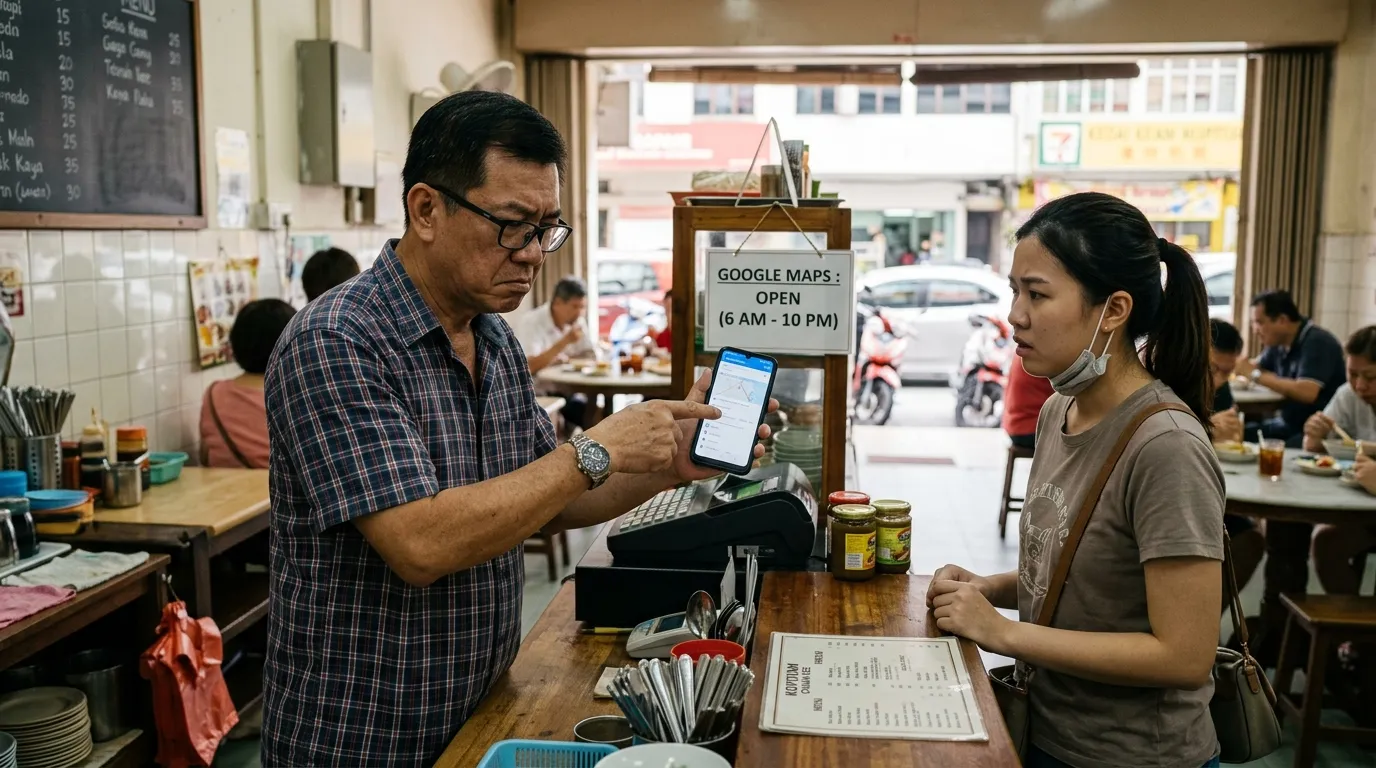
Imagine opening your Google Business Profile (GBP) one morning and finding that your business name, phone number, or operating hours have changed — without you touching any settings. This is not just a hypothetical scenario; many Malaysian business owners face the problem of GBP info changing on its own without their knowledge, and the impact can directly hurt their business. Understanding why this happens and how to stop it is one of the most critical steps in protecting your digital reputation.
Why Can Your GBP Info Change on Its Own?
Google designed Google Business Profile as an open platform that allows community contributions. This means anyone — including Google users you do not know — can suggest edits to your business profile via the 'Suggest an edit' feature. When Google deems a suggestion valid based on other signals such as third-party data, other websites, or search patterns, their system can automatically adopt the change without first seeking the profile owner's approval.
Besides suggestions from the general public, Google also uses automated algorithms that pull data from various sources such as business directories, company websites, and social platforms to 'correct' information it deems inaccurate. If there is a discrepancy between the information in your GBP and these sources, Google may prioritise that external data and replace your original information — without any clear notification.
Google does not necessarily notify you when your profile information changes. If you are not monitoring your GBP regularly, unauthorised changes can remain for weeks — or even months — before you realise it.
Types of GBP Information That Change Most Often Without Permission
- Business name — users can suggest 'corrections' to spelling or a name they consider more accurate
- Phone number — outdated data or inactive numbers from external directories can replace your current number
- Operating hours — user suggestions or seasonal data can alter your opening or closing times
- Business address — formatting changes or postcode updates can occur due to Google Maps data updates
- Business category — Google sometimes reviews categories based on changes in search signals
- Attributes and amenities — options such as 'Seating', 'Air Conditioning', or 'WiFi' can be added or removed by users
The Impact of Unauthorised Changes on Your Business
When your GBP information is inaccurate, potential customers may call the wrong number, arrive at a different address, or turn up at your premises when you are already closed. Customer trust can erode quickly with just one bad experience like this. According to a BrightLocal study (2024), as many as 87% of consumers use Google to evaluate local businesses before making a decision — meaning inaccurate information in your GBP directly prevents new customers from contacting or visiting your business.
More worryingly, changes to your business name or category can also affect your ranking in Google Maps search results. According to Moz (2023), GBP signals account for as much as 36% of local search ranking factors — making the accuracy of your GBP information not just an operational issue, but a serious SEO issue for every Malaysian business that relies on local search.
“Inaccurate GBP information is not merely a technical problem — it is an open door to losing customers and a reputation that is hard to rebuild.
— GBPAuditLab Editorial Perspective
How to Detect Unauthorised Changes to Your GBP
The first step in defending your profile is to actively and regularly monitor your GBP. Log in to your Google Business Profile account at least once a week and check the 'Suggested Edits' section as well as the change log on your profile dashboard. Google also sends email notifications for certain changes — make sure the email associated with your account is active and being monitored.
For a more systematic approach, GBP audit tools such as GBPAuditLab allow you to run a thorough check of your profile to detect inaccuracies, incomplete fields, and overlooked signals. This is especially useful for business owners managing multiple branches or those who do not have the time to monitor their GBP manually every day.
Enable Google Business Profile notifications through your account settings. Go to 'Notifications' in the GBP settings menu and make sure all options related to information changes and suggested edits are turned on. This gives you an early warning before any unauthorised changes cause greater damage.
Practical Steps to Stop Your GBP Info from Changing on Its Own
- Claim and verify ownership of your GBP — an unclaimed profile is far more vulnerable to being altered by outside parties without your control
- Complete all information fields in your GBP — name, address, phone number, operating hours, category, description, and photos — a complete profile sends a strong signal to Google that your data is accurate and up to date
- Check and respond to all incoming suggested edits promptly through your GBP dashboard
- Ensure your NAP (Name, Address, Phone) information is consistent across all online platforms — your website, business directories, social media — to prevent Google from 'correcting' your GBP data based on differing external sources
- Run a GBP audit regularly using dedicated tools to identify unnoticed changes before they affect your customers
- Add only trusted users as profile managers — restrict access to individuals who genuinely need to manage your GBP
For business owners who have encountered issues with a GBP phone number that is not working or has been changed without authorisation, you can read a detailed guide on how to resolve this in the related article 'Phone Number GBP Tak Boleh Call — Cara Fix' at /blog/phone-number-gbp-tak-boleh-call-cara-fix. Phone number issues are among the most commonly reported problems by Malaysian SME owners when GBP info changes on its own.
The Role of GBP Audits in Protecting Your Profile Long-Term
A GBP audit is not merely a corrective action taken after a problem occurs — it is a proactive prevention strategy. By running audits regularly, you can identify information gaps, incomplete fields, and suspicious changes before they have a negative impact on your business. According to Google (2024), complete and accurate GBP information directly improves rankings in local search — making a GBP audit an investment, not just an administrative task.
If you have experienced other issues such as reviews disappearing suddenly, you can refer to the article 'Review Hilang dari GBP — Kenapa Berlaku dan Apa Boleh Buat' at /blog/review-hilang-dari-gbp-kenapa-berlaku-dan-apa-boleh-buat to understand the causes and actions you can take. Likewise, for a comprehensive overview of the various GBP issues commonly faced by Malaysian business owners, the article 'GBP Troubleshooting Malaysia — Semua Masalah & Penyelesaian' at /blog/gbp-troubleshooting-malaysia-semua-masalah-penyelesaian is a highly useful comprehensive reference.
If your GBP has ever been suspended due to inconsistent information or suspicious changes, the appeal process can take a long time. It is far better to prevent this problem with regular audits than to go through a complicated reinstatement process. Read more about this topic in the article 'GBP Suspended — Sebab, Cara Appeal dan Prevent' at /blog/gbp-suspended-sebab-cara-appeal-dan-prevent.
What You Should Do Right Now
Do not wait until a customer contacts you to say your business information is wrong. By that point, the damage to trust and reputation may have already been done. The best course of action is to start with an immediate GBP audit to find out the current status of your profile — whether your information is complete, accurate, and safe from unauthorised changes. For business owners who also want to understand why their profile is not appearing in Google Maps, the article 'Kenapa GBP Tak Muncul dalam Google Maps? (7 Sebab)' at /blog/kenapa-gbp-tak-muncul-dalam-google-maps-7-sebab provides useful insight as an additional diagnostic step.
Audit Your GBP for Free Now
Check whether your GBP info is still accurate, complete, and safe from unauthorised changes. GBPAuditLab helps Malaysian business owners detect profile issues quickly and systematically — before your customers get the wrong information.
Start Free Audit